
Twitch clips
Surface existing Twitch clips for a VoD inside the editor
In addition to the clips you create yourself in vod.ing, the editor can load the existing Twitch clips that point at the open VoD. This gives you a head start: anything chat or other viewers already clipped on Twitch is visible without leaving the editor.
What it looks like
The TTV clips tab in the right-side tab group lists every Twitch clip that points at the open VoD. Markers for those clips also paint on the chat activity graph, so peaks the community already noticed jump out visually:
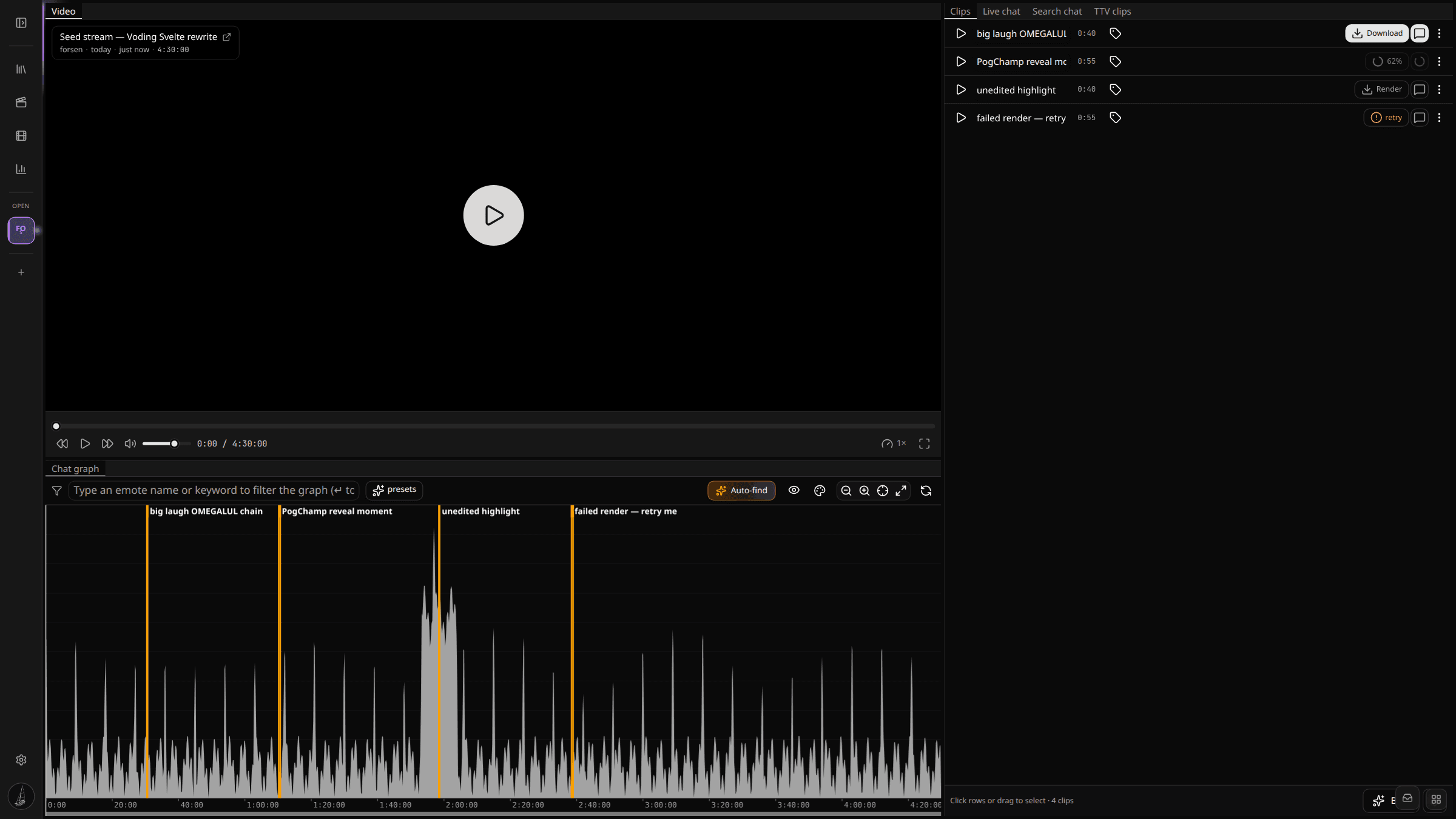
Each Twitch clip is plotted on the graph as a marker at the moment it covers. The list view in the sidebar shows the original clip title and creator. Click a marker or a row to seek the player to that point.
How to use it
- Pre-scan the existing Twitch clips before scrubbing yourself. The biggest moments often already have a clip from a Twitch user.
- Cross-reference Twitch clips with peaks on the chat activity graph. A Twitch clip on top of a tall bar is a near-certain compilation candidate.
- Sanity-check the auto highlight finder — moments Auto-find surfaces should usually overlap with where Twitch clips cluster.
Twitch clips do not need a category and they do not render through vod.ing. They are read-only references intended to guide your own clipping.
Where the data comes from
We hit Twitch's Helix clips endpoint with the open VoD ID and cache the result for a few minutes per session. The reach is whatever Helix returns — for popular VoDs that is typically the top several hundred clips, sorted by view count. If a clip points at a different VoD or a deleted one, it won't appear here.
The list refreshes when you switch VoDs, not in real time — Helix's clips data has a multi-minute cache anyway, so a freshly-clipped moment won't appear instantly.